🇨🇷 +506 6202-0668 contactar@incompany.cr
#1 Salesforce Partner in Costa Rica
💬 New · Whapin

All your WhatsApp Business, directly inside Salesforce

Whapin is Salesforce's native WhatsApp Business console: your service, sales and support team receives, replies to, and follows up on every conversation with the contact, case and account always in view — without leaving the platform they already use every day.

100%
Inside Salesforce
16MB
Attachment limit
2
Meta Cloud API
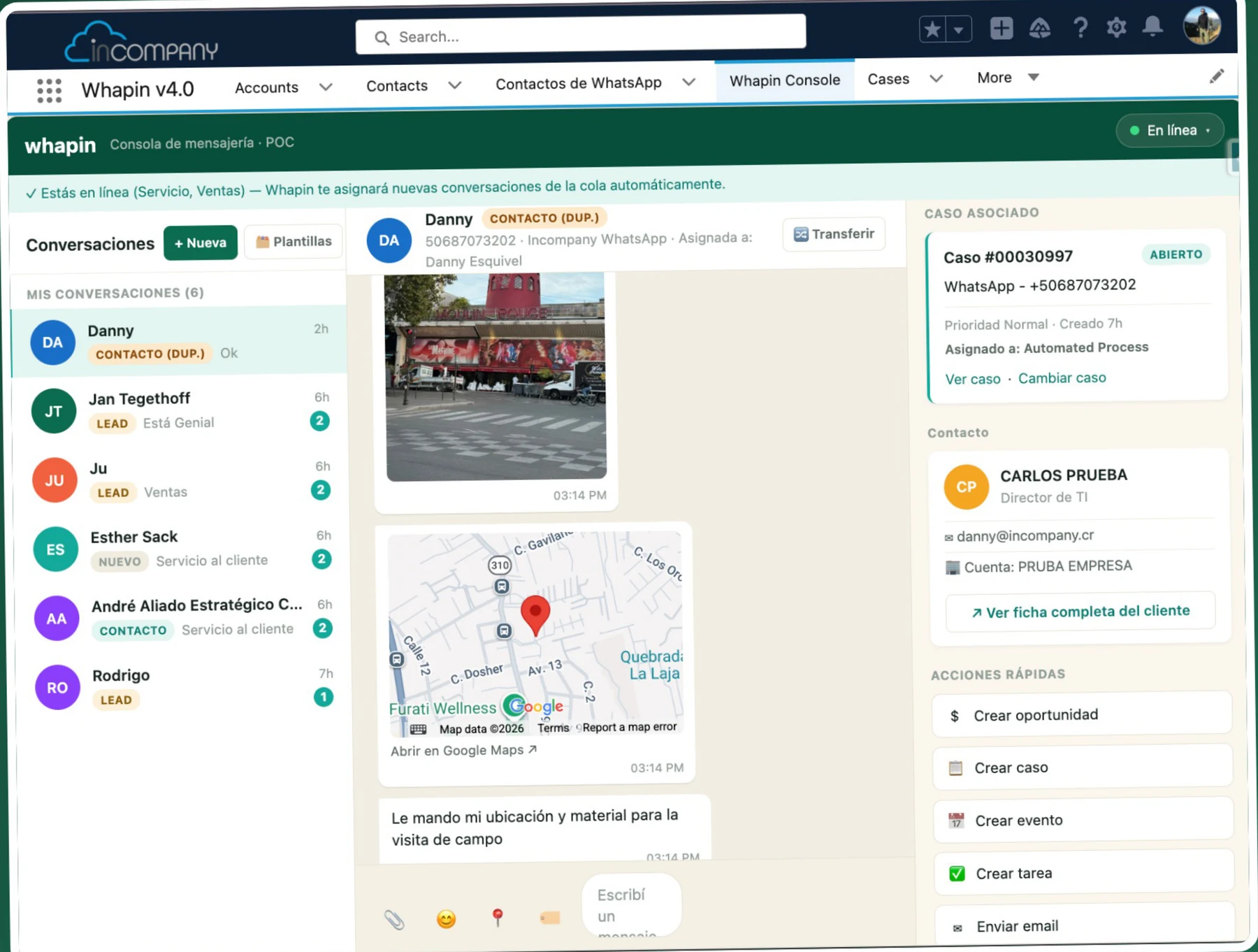
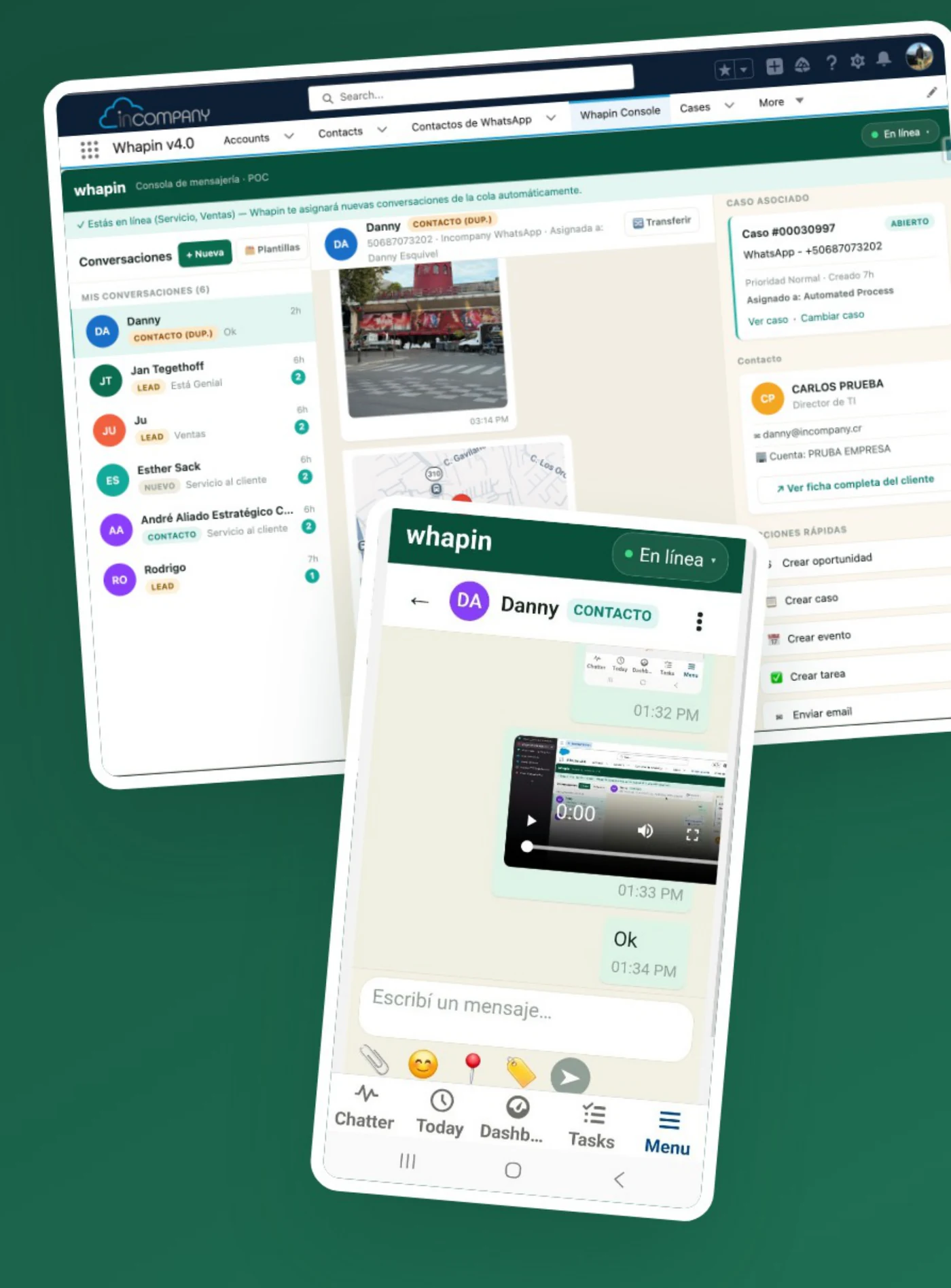
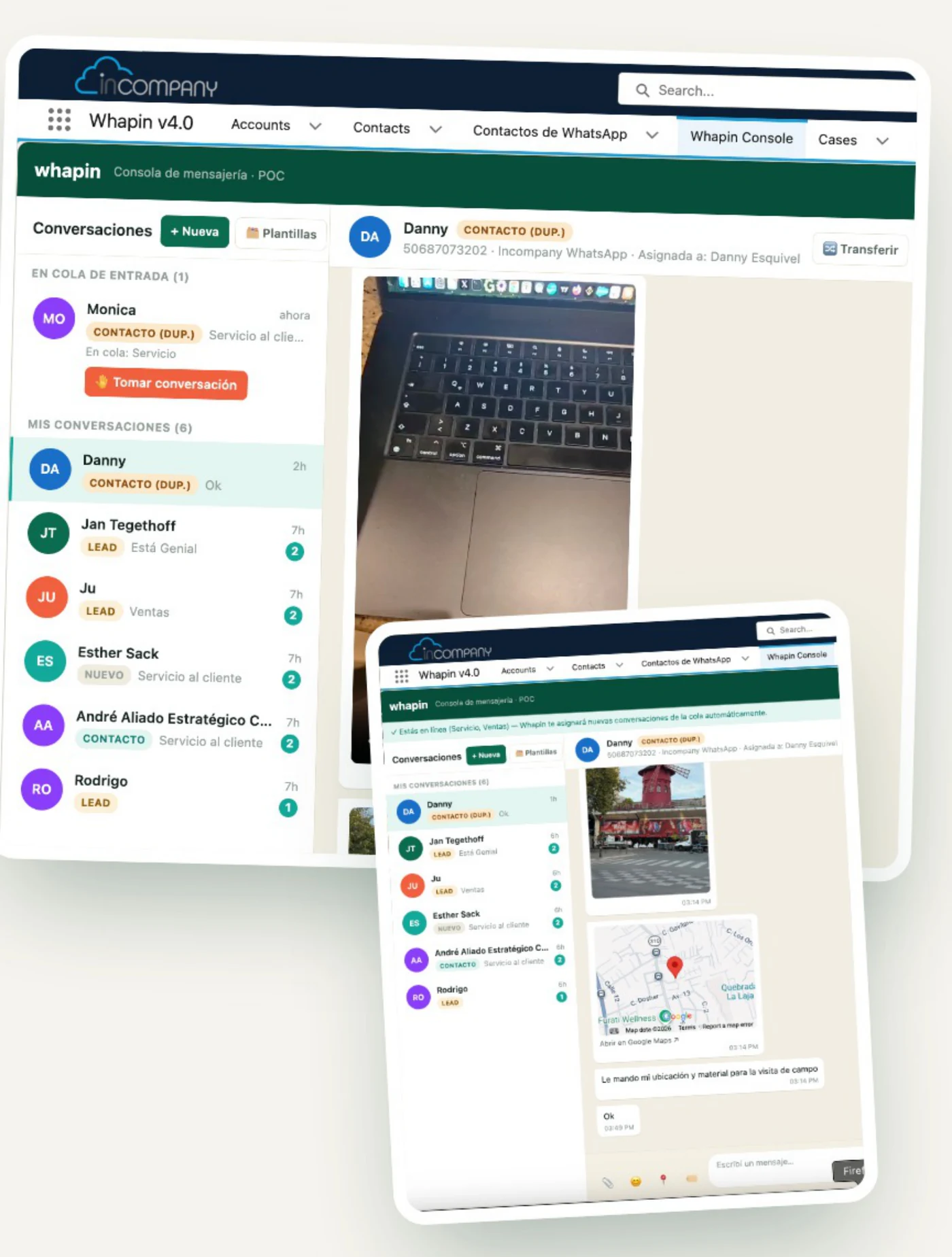
Whapin console in Salesforce, with the WhatsApp conversation inbox and the mobile chat view
WhatsApp conversation inside Whapin, with a shared photo and location
Native100% inside your Salesforce org
What is Whapin?

WhatsApp Business, without leaving Salesforce

Whapin is a WhatsApp Business console built natively into Salesforce. Your service, sales and support team receives, replies to, and follows up on WhatsApp conversations with the full customer context — contacts, cases, opportunities and accounts — always visible next to the conversation. It works on desktop and in the Salesforce mobile app, and connects to your WhatsApp Business number through Meta Cloud API.

💬
Everything in one place

No external tools or extra tabs required — it all happens inside Salesforce.

🧭
Instant customer context

Every conversation shows the contact, account and related case, with real, up-to-date information.

🔀
Automatic distribution

Incoming conversations are assigned to available agents, with the option to transfer to another agent at any time.

⚡
Immediate action on the CRM

Create a case, an opportunity, a task or an email right from the conversation, without switching screens.
Features

All your WhatsApp, with superpowers

Nothing gets left out of the conversation — and nothing that happens on WhatsApp gets left out of Salesforce.

💬

Unified conversation inbox

An unassigned entry queue and "My conversations" for the ones already assigned, with an Online status for each queue you're part of.

CONSOLEREAL TIME
📎

Rich media without leaving the chat

Photos, videos, voice notes, documents and real-time location, just like in the WhatsApp app your customer uses.

ATTACHMENTSLOCATION
🧾

360° view of the contact

The Case, the Contact and the Account appear next to the conversation — a central panel, with no screen switching.

CASECONTACT
⚡

Quick actions to the CRM

Create a case, an opportunity, a task, an event or send an email straight from the conversation.

CRMPRODUCTIVITY
📋

Meta-approved templates

Start conversations outside the 24-hour window with pre-approved templates — Whapin handles the whole flow.

METATEMPLATES
👥

Real teamwork

A queue visible to the whole team, transfers in one click with an optional reason, and acceptance notices.

QUEUESTRANSFER
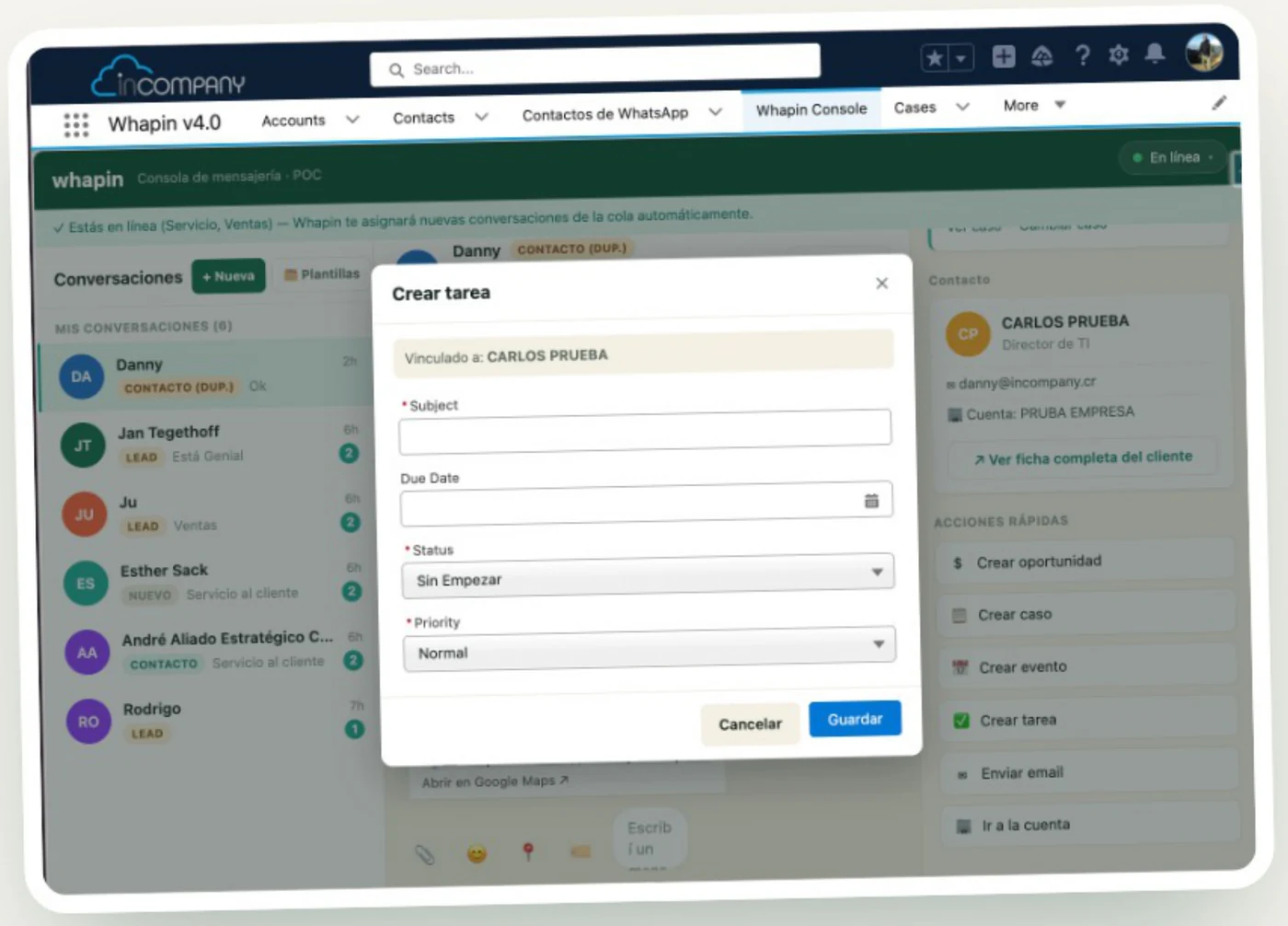
Task creation panel linked to the contact, next to the related case in Whapin
A 360° view of the customer

The Case and the Contact, around the chat

The Contact, the Case and their data appear next to the conversation — one central place, with no screen switching to understand the customer. The same Quick Actions let you create an opportunity, a case, a task or an event, all automatically related to that conversation's contact.

🗂️
Contact history and data

Everything in the same panel, with no need to look up the customer on another screen.

📌
Related case, always visible

Priority, status and assignment, one click away from "View case".

✉️
Built-in email

Draft and send an email from a pop-up, with email templates available.

🎯
Quick Actions

Opportunity, case, task or event, without re-entering the customer's data.

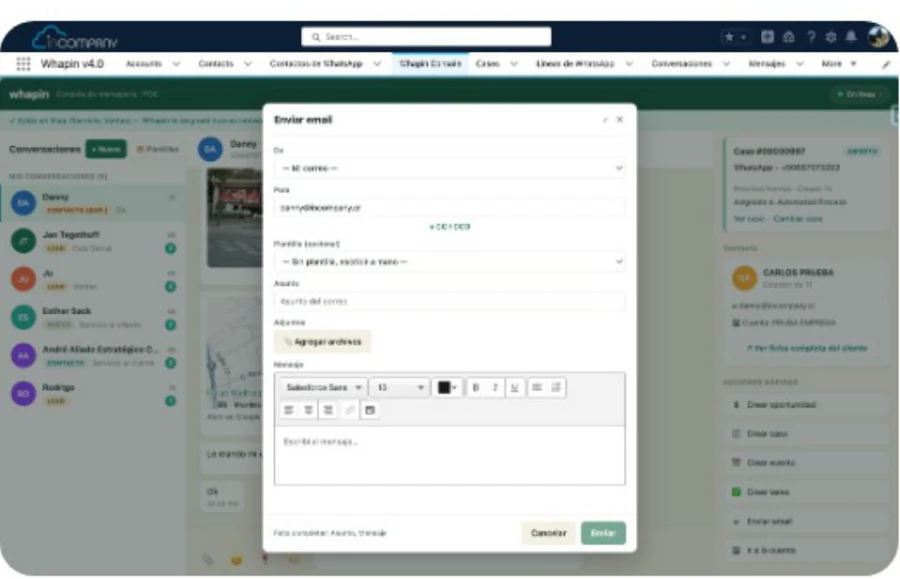
Email composer opened from Whapin, with an email template

Built-in email

Draft and send an email from a pop-up, without leaving the chat.

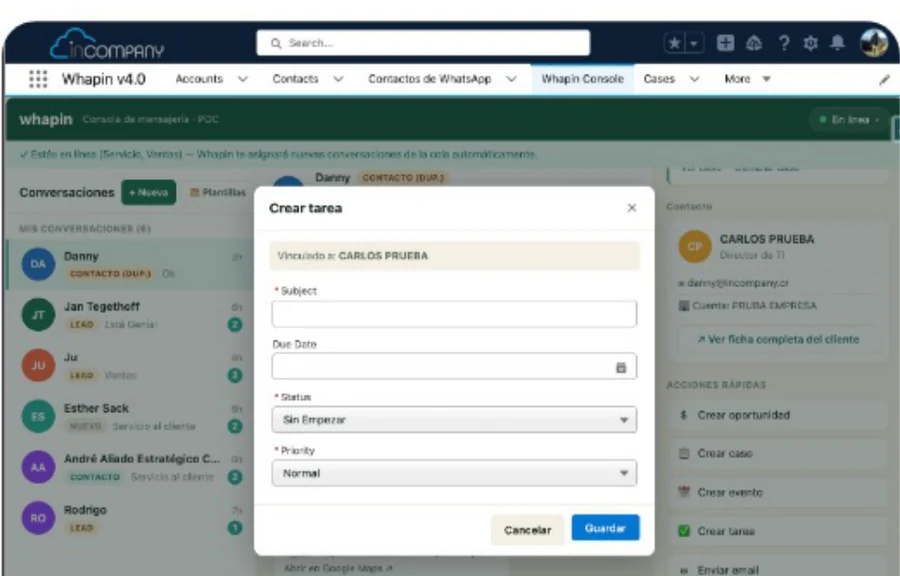
Task creation window linked to the contact in Whapin

Tasks and events

Follow-up linked to the Contact, in one click.

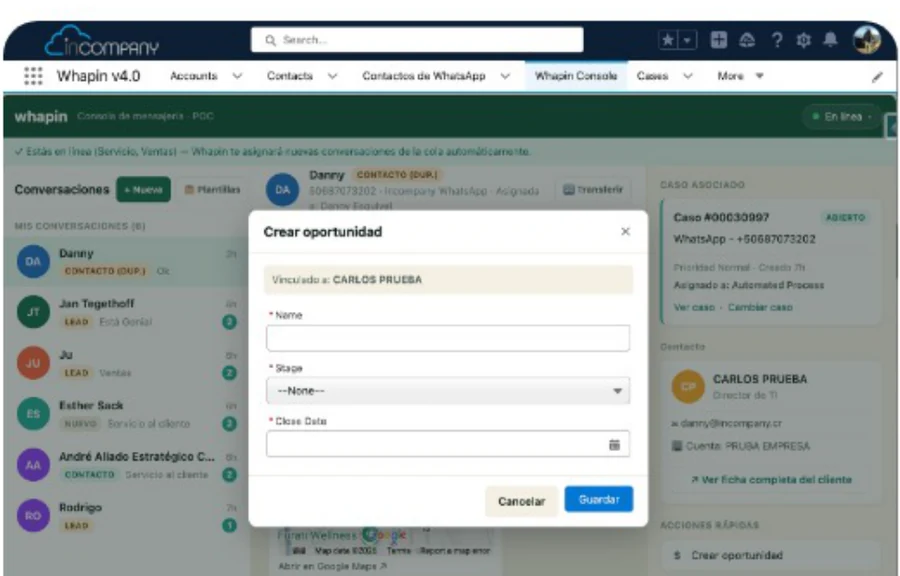
Opportunity creation window linked to the contact in Whapin

Opportunities

Turn the chat into a real deal, with stage and close date.

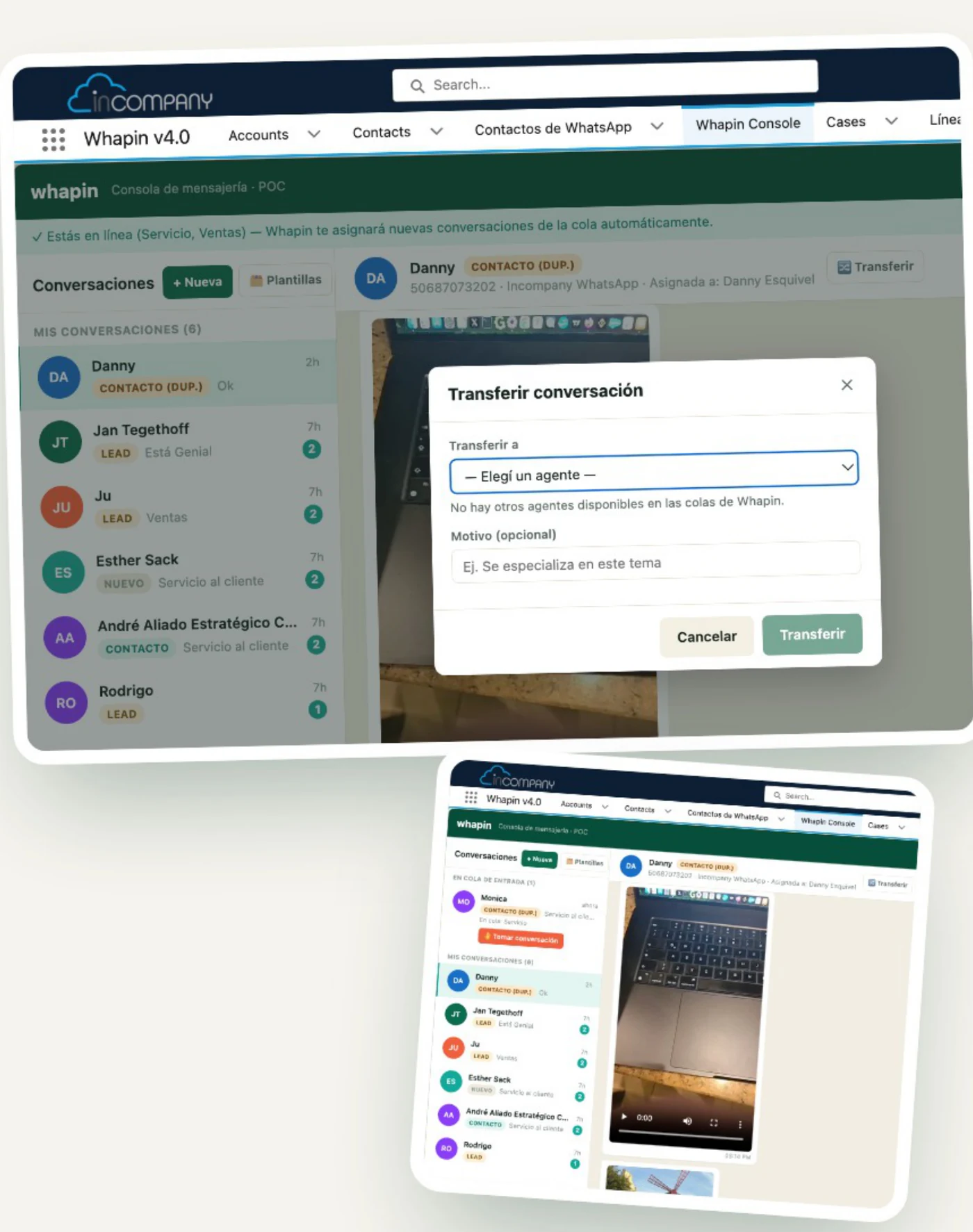
Transfer-conversation modal to another agent in Whapin
Teamwork

Queues and transfers, done right

Conversations come into a Service or Sales queue and are automatically assigned to an available agent. When needed, they're transferred to a teammate in a couple of clicks, with an optional reason and an acceptance notice.

📥
Visible entry queue

The whole team can see which conversations are waiting for an agent.

📊
Full team workload visibility

A supervisor sees how many conversations each agent has, in real time.

🔁
One-click transfer

With an optional reason, to give the next agent context.

✅
Acceptance notice

The conversation doesn't change owner until the new agent accepts it.

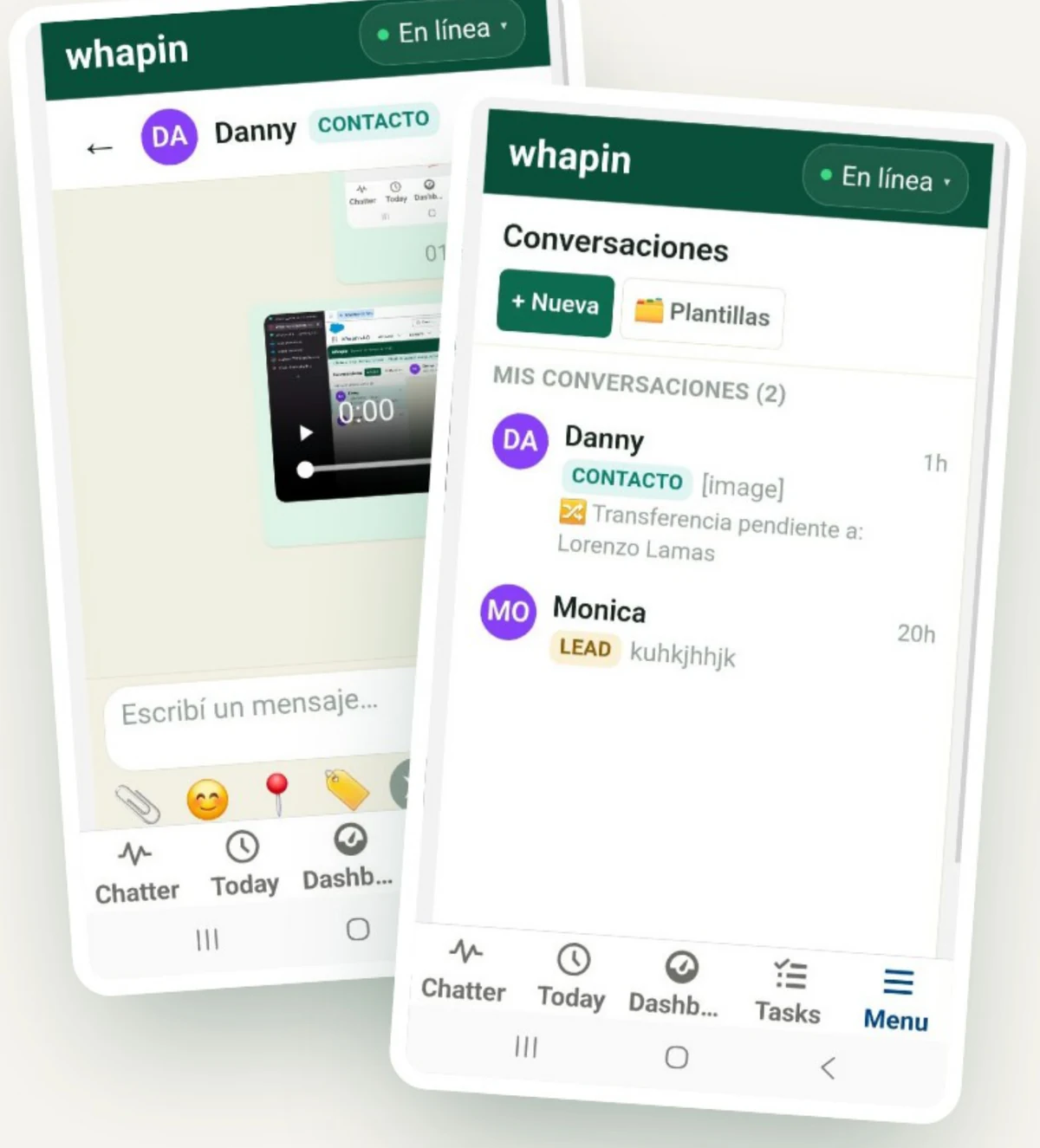
Whapin conversation inbox and chat in the Salesforce mobile app
On any device

The same Whapin, on your phone

Handle, reply to and transfer conversations from the Salesforce mobile app, with the same desktop Quick Actions available from each conversation's menu.

📱
Full inbox

Conversations, New conversation and Templates, just like on desktop.

⚡
Quick actions from the menu

Create a case, task, opportunity, event, or send an email, with a tap.

🔀
Transfer available

Switch agents without going back to a computer.

🎙️ Voice notes sent by the customer are received and play back fine on mobile. To record and send a voice note, we currently recommend using the Whapin desktop version.

How it works

From a WhatsApp message to an activity in Salesforce

A simple flow, with no manual steps or copy-pasting between platforms.

01

The customer writes on WhatsApp

To your WhatsApp Business number, connected through Meta Cloud API.

02

Whapin routes it to the queue

Service, Sales, or whichever queue you define — based on simple assignment rules.

03

The agent replies with context

Contact, Case and Account in view, without leaving the conversation or switching screens.

04

It becomes a real activity

Reportable in the same Salesforce Reports & Dashboards your team already uses.

Use cases

One platform, many ways to use WhatsApp

What we've covered so far, plus two new cases: the bot that answers questions and automatic alerts to the team.

01

Outbound notifications

"Your case was resolved. The technician arrives tomorrow at 9:00 a.m."

A Flow or Apex triggers the notification: to a customer, the team, or the whole organization.

02

Group broadcast

"Critical failure in payments. On-call support: check Case #05112."

A Salesforce event sends the same message to an entire group within the same minute.

03

Whapin Hub

"One WhatsApp number, your whole team handling it."

Every conversation the company has, in one place, with Salesforce right alongside it. Office, remote, or on the road.

04
New

Inquiry bot

"Do I have any pending invoices?" → "Yes, 2 invoices. The next one is due on 10/15."

The customer asks and Whapin replies instantly with Salesforce data: invoices, cases, balances. 24/7.

05
New

Automatic alerts

"A new customer came in through WhatsApp: Maria Rojas, assigned to Sales."

Whatever happens in the channel reaches the team on their WhatsApp, without watching the inbox.

Native integration

Whapin isn't a separate app: it lives inside your Salesforce

Built on top of the world's #1 CRM, by a Salesforce Partner since 2009. Using the same objects, permissions and processes you've already set up in your org.

Whapin console inside Salesforce, showing the case, the contact and the quick actions next to the conversation
Contacts Cases Opportunities Tasks and events Reports and dashboards
Current version · September 2026

What's new in this version

The latest additions to Whapin, focused on larger attachments and more visibility into what happens in each conversation.

✓
Larger attachments

Videos, voice notes and documents up to 16 MB — up from a previous limit of around 3.5 MB.

✓
Automatic photo compression

Heavy photos are compressed before sending, with no action needed from the agent.

✓
Quick actions on mobile

The (⋮) menu on each mobile conversation now includes the same actions as desktop.

✓
Visible delivery status

Messages now show if WhatsApp couldn't deliver them, so agents can follow up another way.

✓
New conversation with templates

Fixed the flow for starting conversations by selecting a line and a template.

✓
Account name visible

Each conversation's header now shows the account related to the contact.

Let's get started

Your customer already lives on WhatsApp. Bring your Salesforce there too.

We'll set up a demo with your service or sales team — showing Whapin connected to your own WhatsApp Business number, no strings attached.

Need help?
Contact us